
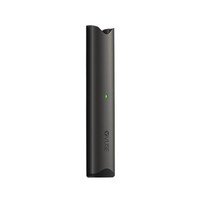
Vuse Not Charging? Green Light and Fixes
27th Aug 2025
A Vuse that will not charge is almost always the charging contacts, the cable or the power source rather than a dead device. Work down this list in order and most of them are fixed in under two minutes.
What to Do First When Your Vuse Is Not Charging
Rule out the simple things first, in this order.
Start With Your Power Source and Connections
First things first, let's look at where the power is coming from. Are you positive the USB port or wall outlet you're using actually works? The easiest way to confirm this is to plug something else in, like your phone. If your phone doesn't charge, you've found your problem right there.
Next, take a good look at the Vuse USB charger itself. It's crucial to use the official one that came with your device. Trying to use a different cable or plugging the Vuse directly into an adapter without its magnetic charging dock simply won't work.
A solid, clean connection is everything. You'd be surprised how often a tiny speck of pocket lint or a cable that isn't snapped firmly into place can stop your device from charging.
To help you run through these initial checks, here's a quick table to guide you.
Quick Troubleshooting Checklist for Charging Issues
Run through these quick checks to diagnose why your Vuse isn't charging.
|
Area to Check |
What to Look For |
Simple Solution |
|
Wall Outlet/USB Port |
Is it supplying power? |
Test it by plugging in your phone or another device. |
|
Vuse USB Charger |
Are you using the official Vuse charger? |
Only the proprietary magnetic charger will work. |
|
Physical Connection |
Is the charger seated firmly? |
Unplug and replug the device to ensure a secure magnetic connection. |
|
Contact Points |
Is there any debris or buildup? |
Clean the metal contacts on both the charger and the device. |
Working through this checklist methodically will solve the vast majority of charging problems.
The flowchart below gives you a great visual roadmap for these diagnostic steps. It’s all about a logical process of elimination.
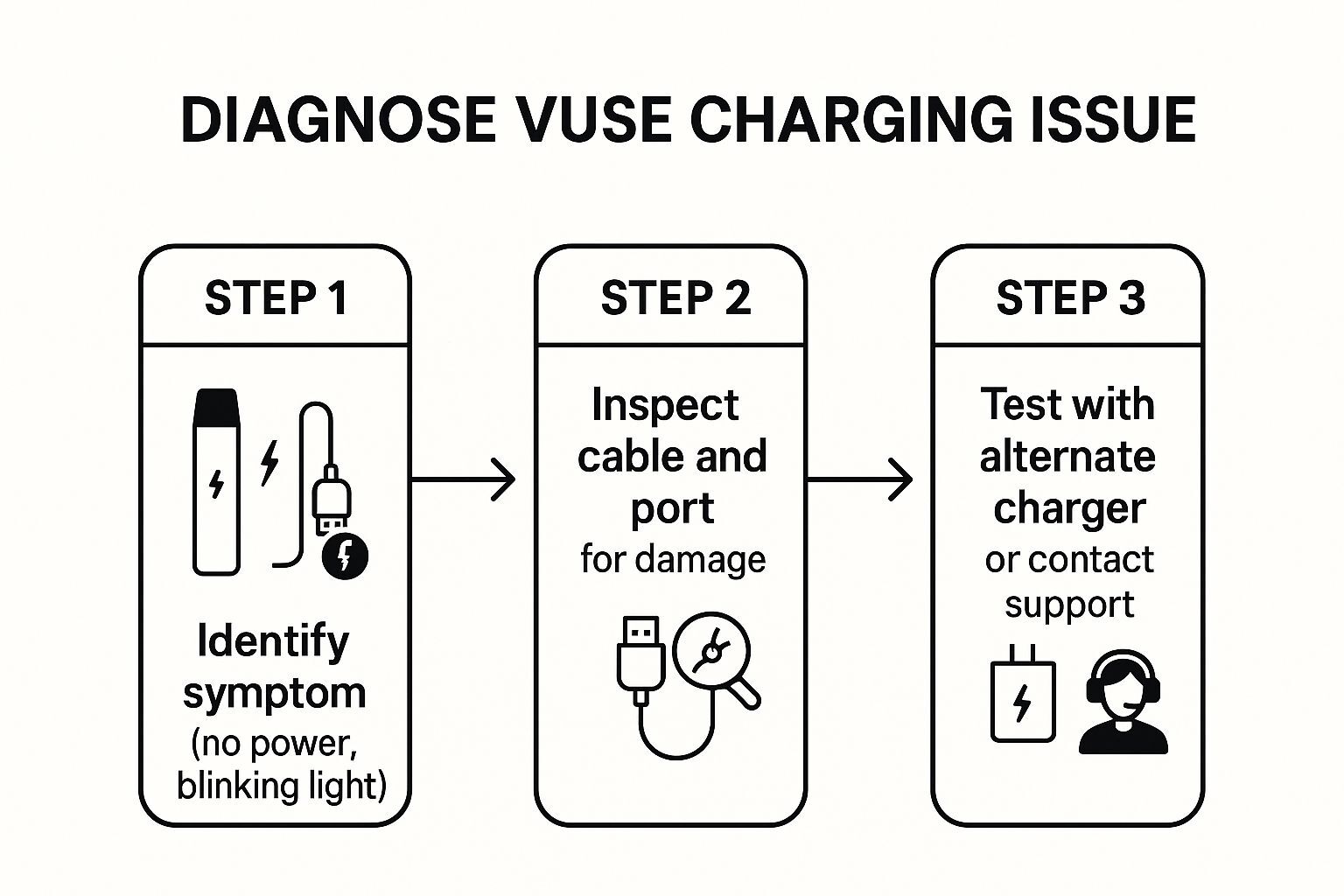
As you can see, a step-by-step approach—from identifying the initial symptom to inspecting the hardware—is the fastest way to nail down what's wrong and get it fixed.
Time to Inspect Your Vuse and Its Charging Gear
If you've confirmed your power source is working but your Vuse still isn't charging, it's time to get a closer look at the hardware itself. The culprit is often something surprisingly simple. Think about it—your device lives in your pocket or bag, an environment where it’s constantly exposed to dust, lint, and maybe even a stray drop of e-liquid.
This is why a hands-on inspection is the next logical step. The problem usually boils down to a poor connection between the device and its charger, and a little blockage can make all the difference.
Look for What's Blocking the Connection
Grab your Vuse and the USB cable. You'll see small, gold-colored magnetic contacts on both. This is where the electrical current passes through, and even a nearly invisible layer of grime can stop the charge completely.
So, get under a good light and take a close look at those connection points. Here’s what I’ve found are the most common issues from my own experience:
- Debris and Pocket Lint: This is the number one offender. A tiny bit of fuzz or dust is all it takes to break the circuit.
- Sticky E-Liquid Film: Small leaks happen. When they do, the residue on the contacts acts like flypaper for dust and dirt, creating a barrier to the charge.
- Oxidation or Corrosion: If your vape has ever gotten damp, you might notice some faint discoloration or dark spots on the contacts. That’s a dead giveaway for a bad connection.
The fix is usually pretty simple. Take a dry cotton swab or a soft, clean cloth and gently wipe the contacts on both the Vuse and the charging cable. If you’re dealing with stubborn, sticky residue, you can lightly dampen a swab with a bit of rubbing alcohol. Just be 100% sure everything is bone-dry before you plug it back in.
Key Takeaway: You're aiming for a clean, direct metal-to-metal connection. In my experience, nine times out of ten, cleaning the contact points is the simple fix that brings your device back to life.
While you're at it, give the physical connection a quick check. Does the charger feel wobbly or loose when you snap it onto the device? A poor fit might point to damaged magnets or pins inside. A gentle shake can also be revealing—if you hear a rattle, a component might have come loose internally, which unfortunately can be a much bigger problem.
Why a Healthy Battery Is Key to Your Vuse Experience
A fully charged battery does more than just turn your device on—it's the engine behind every satisfying, flavorful puff. When your Vuse is not charging, the problem goes beyond a dead battery; it directly impacts the flavor, vapor, and overall consistency you expect from this innovative device.
Think of your Vuse as a precision instrument. It’s designed to heat the e-liquid to a very specific temperature to unlock the rich, intended flavor profile. A weak or dying battery just can't supply the steady power needed to do this job right.
The Impact on Your Vape Session
When your battery isn't holding a proper charge, you’ll start to notice some frustrating signs that cheapen the experience.
- Weak, unsatisfying draws that just don't feel right.
- Inconsistent vapor production—sometimes a decent cloud, sometimes barely anything.
- Muted or "off" flavors because the e-liquid isn't being vaporized correctly, robbing you of the sensory notes you enjoy.
This all comes down to the delicate balance between the battery and the heating element. When that balance is thrown off by poor power delivery, you get a vape that simply misses the mark.
Your Vuse is engineered to deliver a specific sensory experience. A healthy, fully charged battery is the non-negotiable first step to ensuring the device provides that intended richness and reliability, puff after puff.
Ultimately, keeping your battery in good shape isn't just a maintenance chore. It's the single best thing you can do to get the consistent, flavorful experience you chose Vuse for in the first place.
Decoding Your Vuse's Charging Indicator Lights
When your Vuse vape seems dead to the world and won't charge, that little LED light is your first and best clue. It’s the device’s language, and learning to speak it is the key to figuring out what’s actually wrong.
More often than not, you'll see a flashing red or white light. This is pretty straightforward—it’s the universal sign for a completely dead battery. Think of it as your device’s low-fuel warning. Just plug it in, and you should see the light start to pulse steadily as it takes a charge.
But what if it just keeps blinking? If you see that light flash more than 10 times in a row without settling into a steady charging pulse, your Vuse is trying to tell you something else is wrong.
Reading Between the Blinks
A persistent, rapid blinking light usually points to a connection problem. The power from your charger isn't making its way to the battery, and this is the device's way of throwing up an error flag. It's time to play detective.
Here’s a quick rundown of the most common signals I've seen and what they typically mean:
- No Light Whatsoever: This one can be a little scary. It might mean the battery is so deeply drained it can't even power the tiny LED. On the other hand, it could point to a dead charger or a total connection failure.
- The Rapid Flash (10+ Times): This is the classic "error code." Your Vuse isn't recognizing the charger, which is almost always caused by dirty connection points or a power source that isn't compatible.
- Stuck on Solid Green or White: Seeing a solid light the second you plug in a dead device is a red flag. While a solid light normally means a full charge, seeing it instantly often signals a glitch in the device's internal software.
Once you get a handle on what these lights mean, you can stop guessing and start troubleshooting effectively. It’s the difference between spotting a simple dead battery and identifying a more serious hardware issue that needs a closer look.
It Lights Up But Will Not Hit
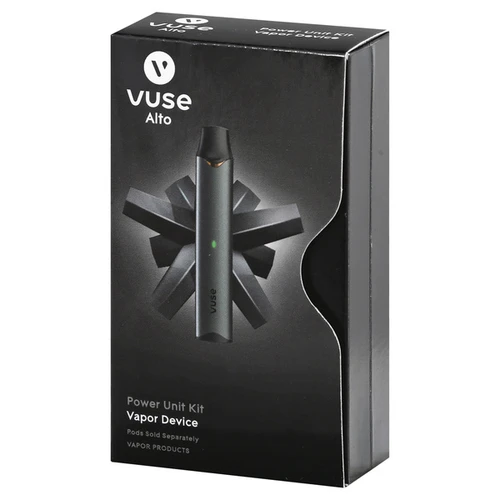
If the light comes on when you pull but no vapor arrives, the battery and the draw sensor are both working. That is a different fault from a charging fault, and none of the cable or power source checks above will touch it. Four things cause nearly all of them, in the order we check them at the counter.
- The pod is not fully seated. Take it out, look at the contacts on the base, and push it back in until it stops moving. A pod sitting a millimetre proud will still light the device up and still do nothing.
- The contacts are wet. E-liquid on the contacts insulates them. Dry the pod base and the device's contacts with the corner of a paper towel, leave both a minute, then put it back together.
- The coil is flooded. A gurgle, or liquid in your mouth, means too much has pooled in the coil. Stand the device upright for twenty minutes, then take two short pulls with the device off the charger.
- The pod is finished. A spent pod goes hot, flat or burnt before it stops working altogether. Hold it up to the light: if the window has gone clear or the wick looks dark brown, that pod is done. A fresh pack of Vuse Alto pods is the fix.
If all four come up clean and a pod you know is good still produces nothing, the power unit itself has failed. A replacement Alto power unit is the next step, or bring the device into any of our Michigan shops and we will test it with a pod we know is good before you spend anything. Find your nearest store
Common Questions About Vuse Charging Problems
Even with the best troubleshooting, you might still have some questions floating around. It’s definitely frustrating when your Vuse is not charging, so let's clear up a few of the most common things we hear from fellow vapers. These are the quick-and-dirty answers you need to get back on track.
If you've tried everything and the solution you need isn't here, it might point to a bigger problem with the device itself. When that happens, your best bet is to get in touch with customer support for some direct help.
Can I Use a Different Cable to Charge My Vuse?
Honestly, you really shouldn't. Stick with the official USB charger that came in the box. Vuse designs its devices with specific connections and power needs for optimal performance and safety.
Grabbing a random third-party cable might seem convenient, but it can lead to a few problems:
- It might not charge the device at all.
- It could damage the battery over time.
- Worst case, it could even void your warranty.
It’s just not worth the risk for a bit of convenience.
How Long Should It Take to Fully Charge My Vuse?
From completely dead to fully charged, you're looking at about 60 to 80 minutes.
If it is taking a few hours, that is a good sign something is wrong with the connection or the power source.
How Do You Know When a Vuse Is Fully Charged?
You’ll know it’s done when the LED light gives you the "all clear" signal, which is usually a solid green light or the light turning off completely.
What Should I Do If My Vuse Gets Hot While Charging?
This is a big one: if the device feels warm or genuinely hot to the touch while it's plugged in, unplug it immediately. Overheating is a serious safety concern and should never be ignored.
Set the Vuse down on a non-flammable surface, like a ceramic plate or granite countertop, and keep it far away from anything that could catch fire. Let it cool down completely. Whatever you do, don't try to use it or plug it back in.
A hot battery is a clear warning sign. Never ignore it. It indicates a potential internal fault, and continuing to charge it could be dangerous.
Once it's cool, your next move should be to contact Vuse customer support or our team at Inline Vape for advice. If you have health concerns, always consult a healthcare professional.
Alright, you've tried all the tricks in the book. You've cleaned the contacts, swapped cables, and checked your power source, but your Vuse still refuses to charge. What now?
Sometimes, a device has just given up the ghost. It happens. If you’ve gone through every troubleshooting step and come up empty, it’s probably time to accept that your vape has reached the end of its road. Pushing a faulty battery isn't just a headache; it can be a genuine safety concern. Don't risk it.
Starting Fresh: Making Your New Vuse Last
Once you've got a new device in hand, the goal is to keep it running smoothly for as long as possible. A little bit of smart, consistent care goes a long way and can help you avoid landing back in this same situation down the line.
Think of it as simple maintenance:
- Stick with the official Vuse charger. I've seen it countless times—people using a random phone charger that fries their battery. The charger that comes in the box is built specifically for your Vuse's power needs.
- Keep those connections clean. A quick wipe of the magnetic contacts on both the device and the charger every so often prevents the gunk and grime that interrupt charging. A dry cotton swab is perfect for this.
- Don't let it bake or freeze. Extreme temperatures are the enemy of lithium-ion batteries. Leaving your Vuse on a hot car dashboard or in a freezing glovebox can cause permanent damage to its ability to hold a charge.
A well-cared-for vape is a reliable vape. A few seconds of care here and there means you get a consistent, flavorful experience every time you pick it up.
Want to keep vaping while it charges? Read can you hit a vape while charging first. And if you are shopping for pods, our Vuse Alto pod guide covers the flavors and strengths.
At Inline Vape, we're here to help you not only find the right device but also get the most out of it. Feel free to browse our full collection of Vuse products and other leading brands.
Nicotine is an addictive chemical. Content intended for adults 21+.